Teach the App Your Own Strokes
Every player swings a little differently. Calibrate each sport by playing every shot a couple of times on your Apple Watch — CourtsidePlay learns your personal motion signature and uses it to label shots more accurately during matches.
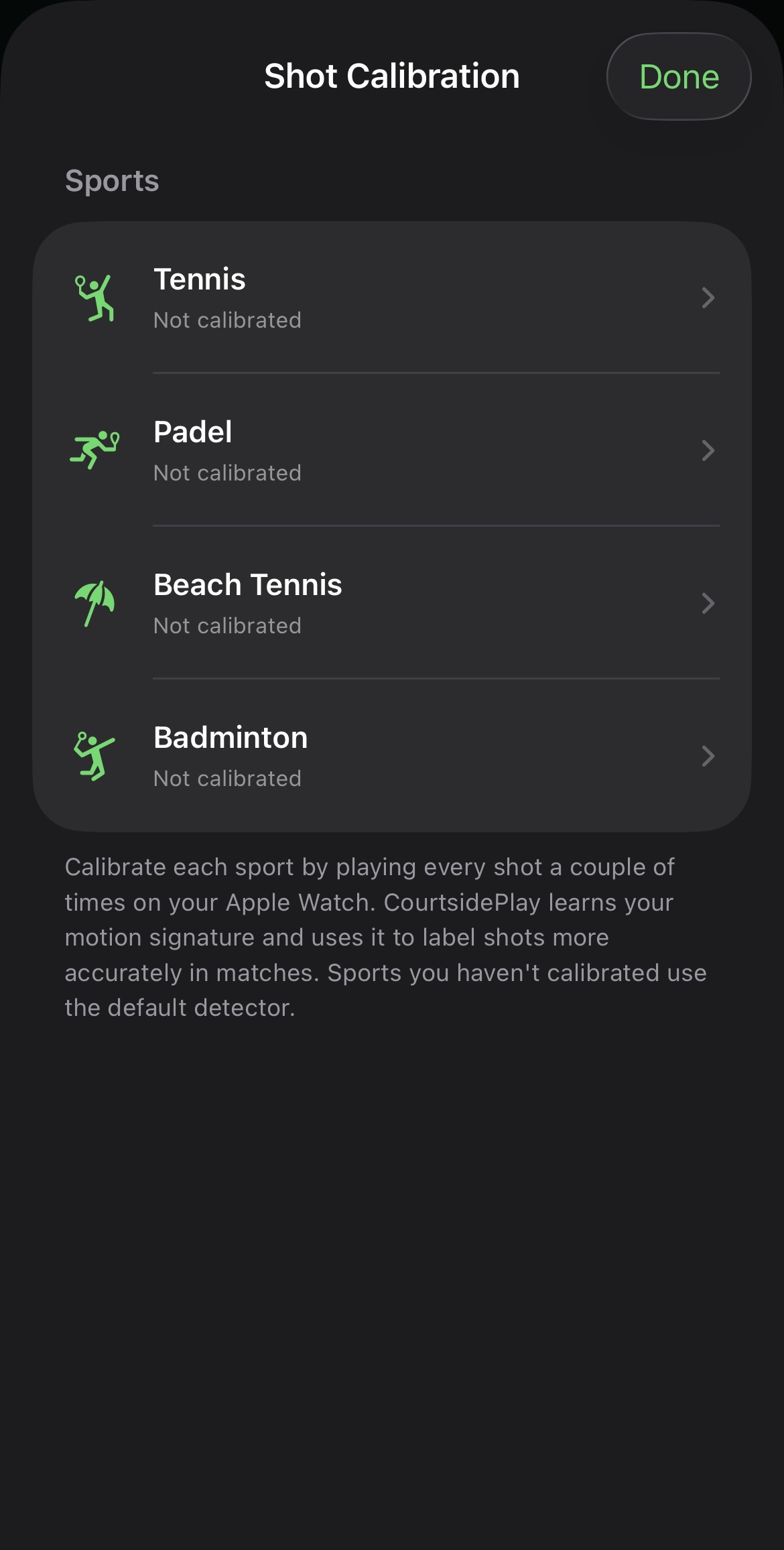
One calibration per sport
Open Shot Calibration and pick a sport — Tennis, Padel, Beach Tennis or Badminton. Each shows its status: not calibrated, in progress, or calibrated. Sports you haven't calibrated simply use the built-in default detector, so nothing breaks if you skip it.
- Per-sport profiles — calibrate only the sports you play.
- Clear status for each sport, with progress as you go.
- Delete a sport's calibration any time to fall back to defaults.
- Uses your dominant-hand setting so left and right-handed players map correctly.
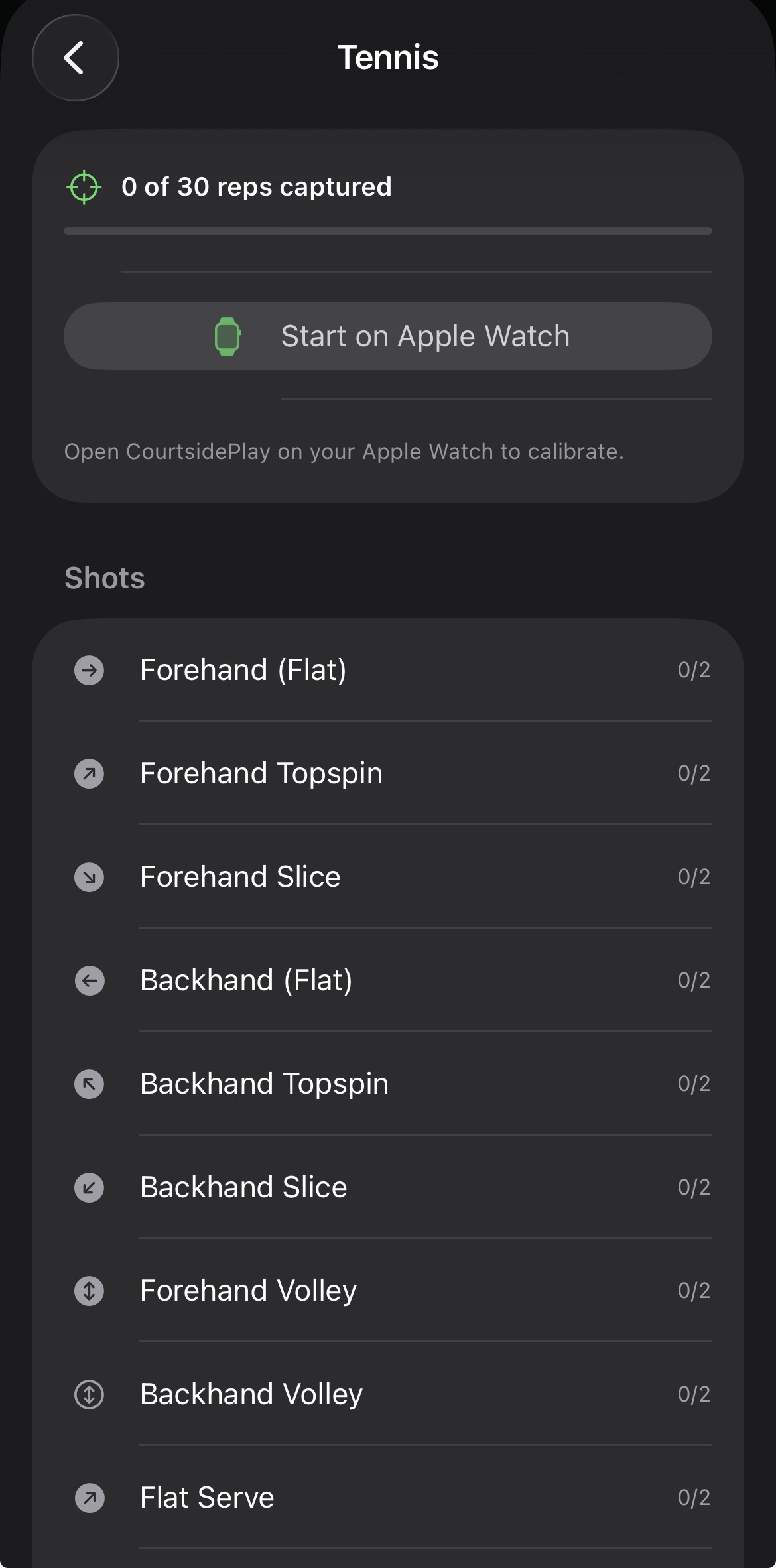
Two reps of each shot, on your wrist
Tap Start on Apple Watch and the Watch guides you shot by shot — Forehand (Flat), Forehand Topspin, Forehand Slice, Backhand variants, volleys, serves and more. Play each one a couple of times and CourtsidePlay records the accelerometer and gyroscope signature for that stroke.
- Guided capture: the Watch tells you which shot to play and counts the reps.
- Sport-specific shot lists, including forehand and backhand drops.
- A nearest-signature classifier then favours your calibrated label in matches.
- Calibration data stays on your devices and syncs to the Watch for live use.
No data? No problem.
Calibration is completely optional. Without it, CourtsidePlay uses the same tuned default detector it always has. Calibrate the sports and shots you care about most, and let the rest run on defaults — your calibration data never leaves your devices.
Get CourtsidePlay
Every feature on this page is built in. Download once and start analysing your next match.